Opens the app in demo mode: no account, no AI call, your data stays in your browser.
WHAT IT DOES
What it does. Concretely.
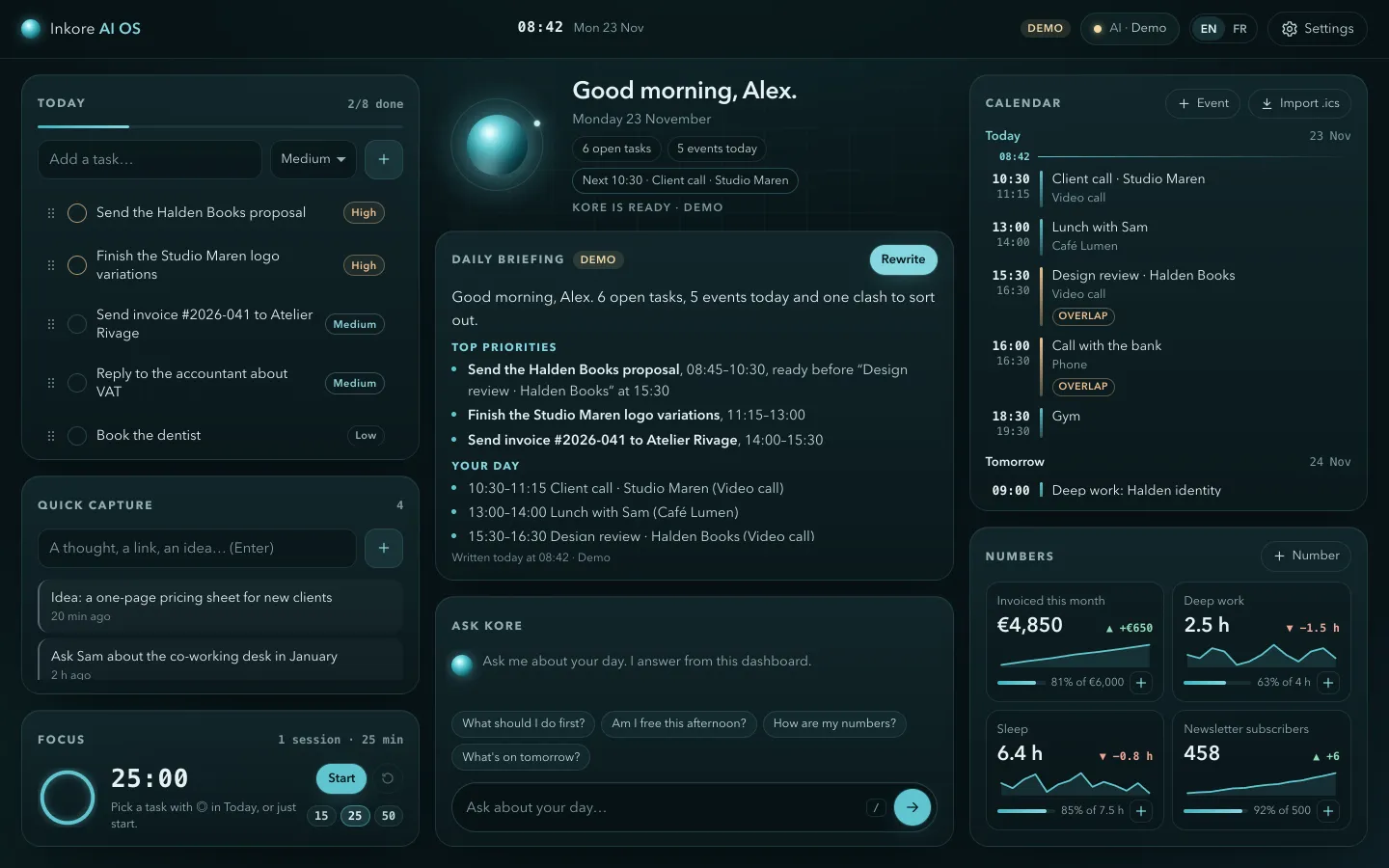
Today: your tasks with a priority (high, medium, low), ticked off as you go, in your own order (drag and drop, or arrow keys).
Calendar: today and the next 7 days. Add events by hand or import an .ics file exported from Google Calendar, Apple Calendar or Outlook. Overlapping events are flagged on every day shown.
Numbers: follow what you choose (revenue, sleep, deep work, subscribers…), one value per day, with a small trend line and your target.
Quick capture: an inbox for thoughts and links. Turn a note into a task in one click.
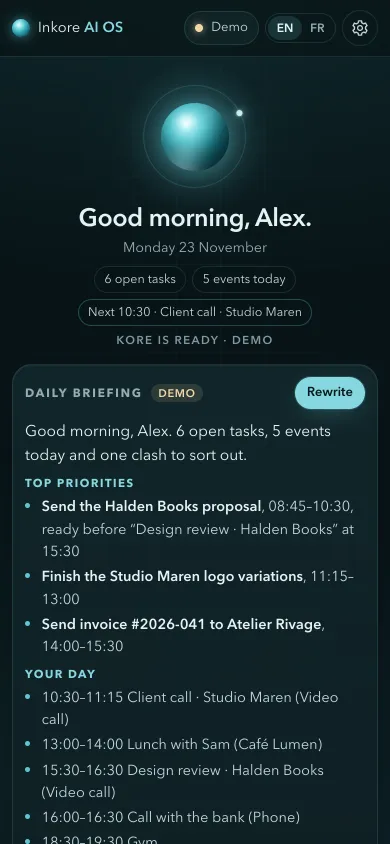
Daily briefing: Kore, the assistant inside, writes your plan for today, with the three tasks that matter (each placed in a free slot when your calendar has one), your schedule, the numbers that moved and the clashes to sort out.
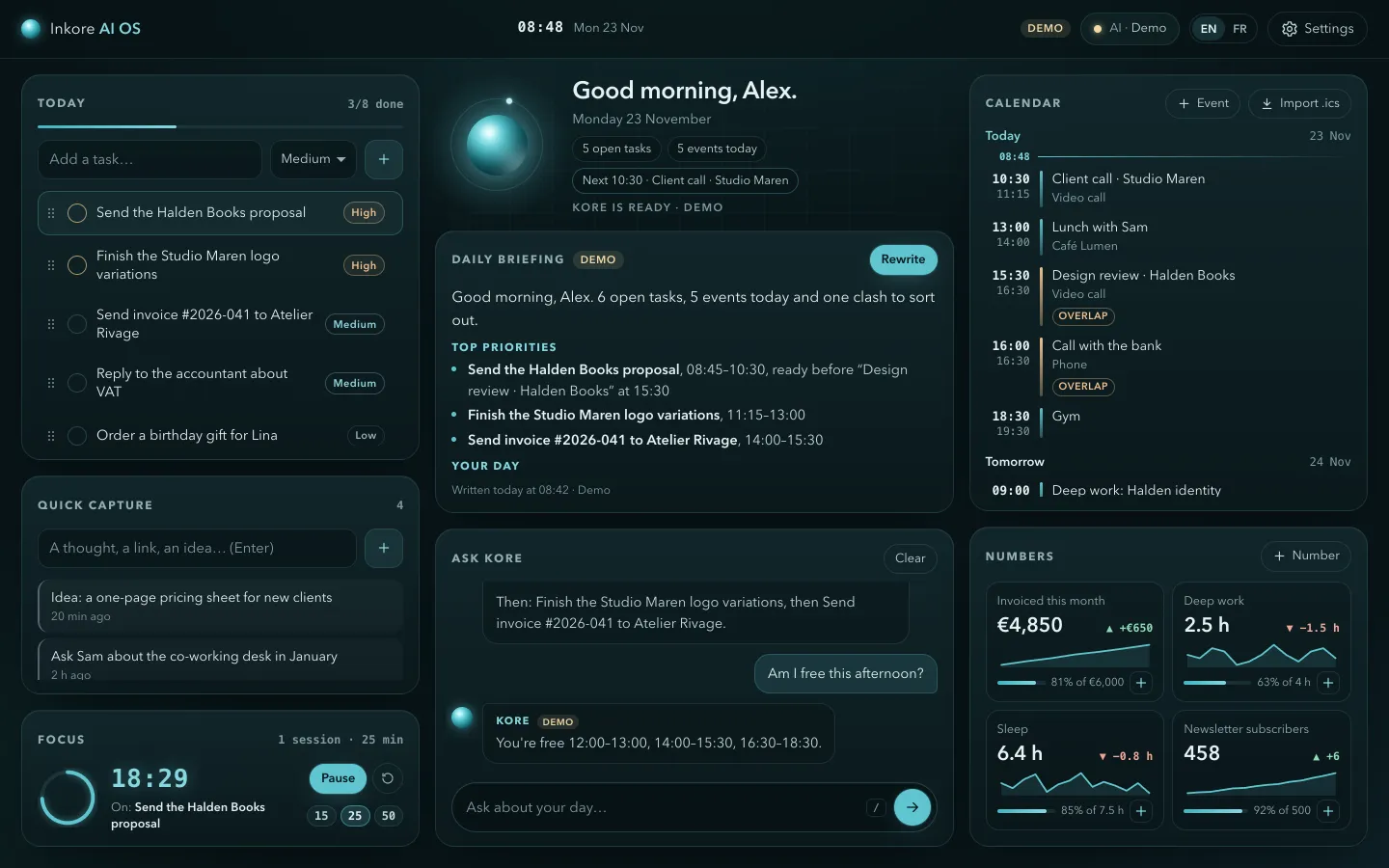
Ask Kore: questions about your day, answered from your dashboard (what to do first, when you are free, how to prepare for a meeting).
Focus timer: 15, 25 or 50 minutes, linked to a task, with today's sessions counted.
English and French. Your data stays in your browser, with export and import as a JSON file.
SCREENS
The app in demo mode. With its demo data.
Screenshots taken in demo mode: names, figures and companies are invented demo data.
THE ONLINE APP
Use it online. AI included.
Monthly subscription
Online app
€12 incl. VATper month
AI included each month30 daily briefings and 150 questions to Kore a month
With the subscription
The same app online on inkore.io, nothing to install.
AI included up to a monthly limit (Inkore plan): no API key to create.
Also works with your own Claude key (Settings → Your Claude key).
Right after your Revolut payment, your Inkore code appears on screen and arrives by email. The subscription renews every month; cancel online at any time, and access stays open until the end of the paid month.
Who pays for the AI
The monthly subscription includes the AI up to a monthly limit; Inkore pays Anthropic. Demo mode costs nothing and makes no AI call. You can also connect your own Anthropic API key (Settings → Your Claude key): Anthropic then bills you for what you use, and a Claude Pro or Max subscription does not cover it.
No. Demo mode works with no account, and the Inkore subscription includes the AI. To use your own key instead, you need an Anthropic API key (console.anthropic.com) with credit on the account, billed separately by Anthropic.
Is the AI included in my Claude Pro or Max subscription?
No. The app's "Your Claude key" mode uses an Anthropic API key, billed separately from a Claude Pro or Max subscription. The Inkore subscription includes the AI within its monthly limit.
Does it sync with my calendar?
There is no live sync. You import an .ics file exported from your calendar app and import it again when it changes: events already there are skipped, and events you moved, renamed or cancelled in your calendar are updated or removed. Repeating events are added for the next 60 days. Events you add by hand are never changed.
Where is my data?
In your browser only. Export it as a JSON file to keep a copy or to move it to another device or browser.
What does Kore send to Claude?
Only when you ask something (a briefing or a question): the text of your dashboard (your first name, tasks including done ones, events of the next 7 days, numbers, the 20 newest notes, today's focus sessions), your question and the recent conversation. With your own key it goes straight to Anthropic; with the online subscription it goes through Inkore's server, which sends it to Anthropic. In demo mode nothing is sent.
Does it work on a phone?
Yes, the screen adapts to phones. Your data stays in the browser where you use it; use export and import to move it.
Can I rename the assistant?
Yes. Kore is the default name; change it in Settings, along with your first name.
What happens to my data if I load the demo or start empty?
Your previous dashboard is kept as a dated backup. Settings keeps up to 6 copies (when it is full, demo copies go first, then the oldest) and lets you restore any of them.
PRIVACY
Your data
No account, no analytics, no tracking. Your dashboard stays in your browser. The app keeps your API key in your browser and sends it only to Anthropic. Kore sends your dashboard text only when you ask it something: to Claude with your key, or through Inkore's server to Claude with the online subscription.
SOMETHING IN MIND?
Write to Inkore
An app to have built, a question about one of ours, access to a preview? A few lines are enough to set the context.