Opens the app in demo mode: no account, no AI call, your data stays in your browser.
WHAT IT DOES
What it does. Concretely.
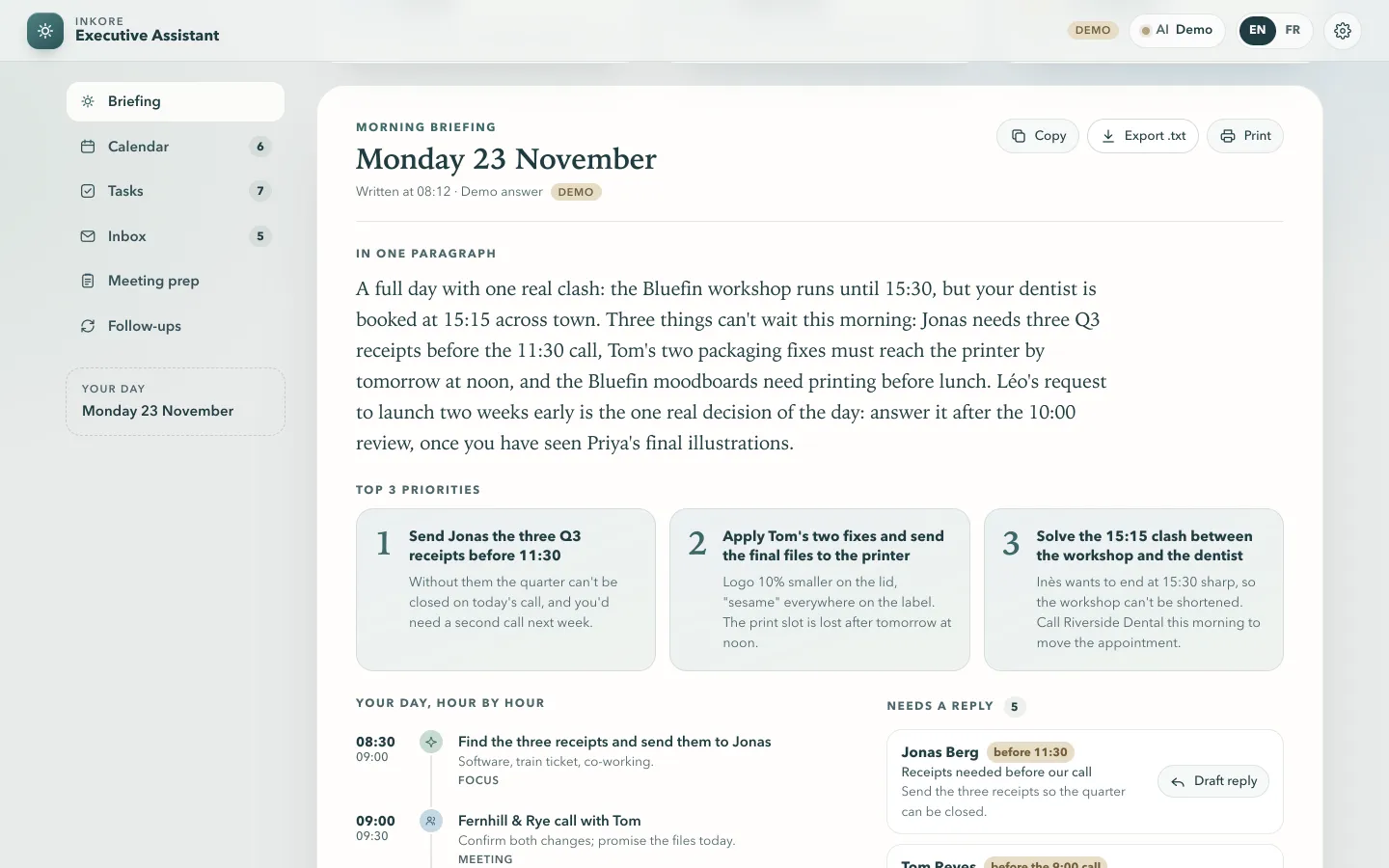
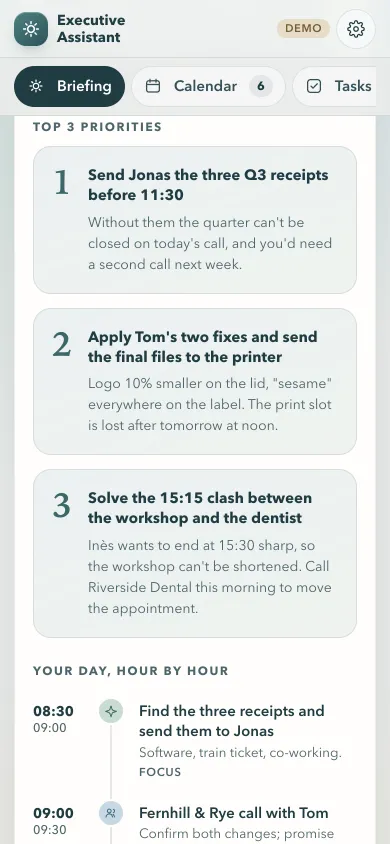
Writes your morning briefing in one click: the top 3 priorities and why, your day hour by hour, what needs a reply and by when, risks and conflicts, follow-ups, and a one-paragraph summary.
Spots overlapping meetings and tight transitions in your calendar before you run into them.
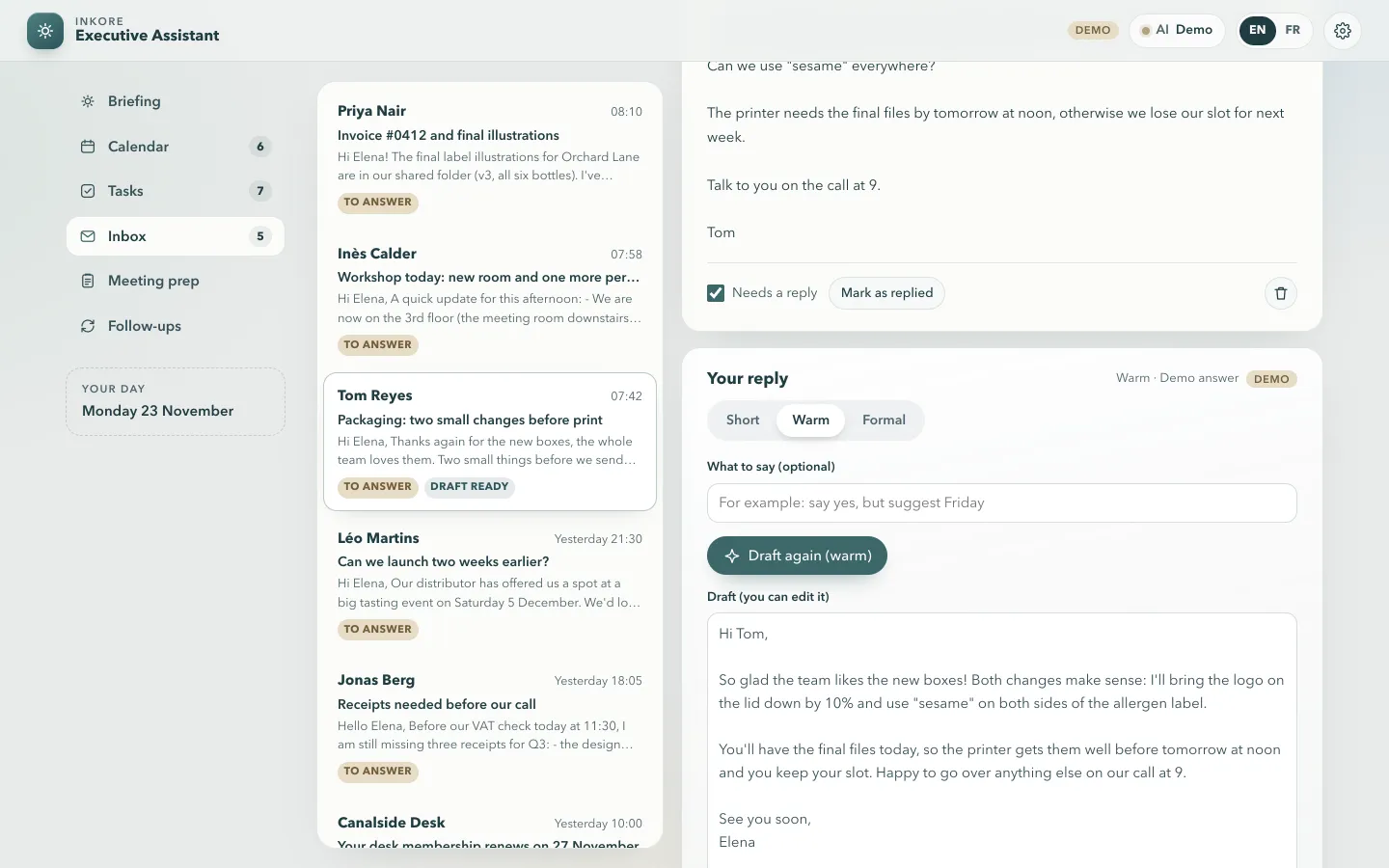
Drafts a reply to each email in the tone you choose: short, warm or formal. You can say what to answer, edit the draft, copy it, or open it in your mail app. Nothing is ever sent for you.
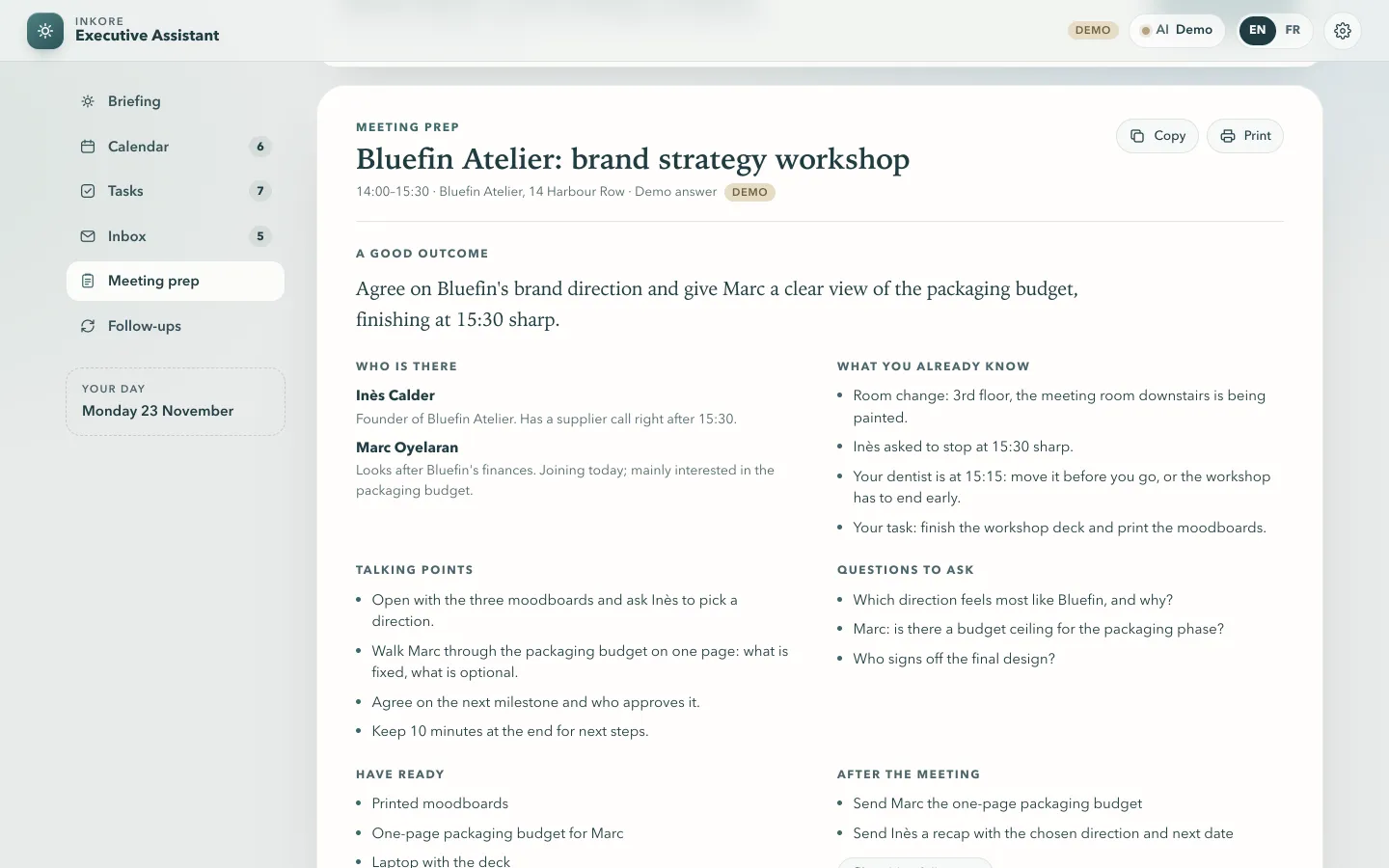
Prepares any meeting: the outcome to aim for, who is there, what you already know from your emails and tasks, talking points, questions to ask, what to have ready, and what to do after.
Keeps a follow-up list: add, in one click, the ones the briefing and the prep sheets suggest, or your own.
Reads your calendar from an .ics file (Google Calendar, Outlook, Apple Calendar, repeating events included) or what you type, and your emails pasted or imported as .eml or .txt files, several at once.
Exports the briefing as a text file and lets you print it. Works in English and French.
SCREENS
The app in demo mode. With its demo data.
Screenshots taken in demo mode: names, figures and companies are invented demo data.
THE ONLINE APP
Use it online. AI included.
Monthly subscription
Online app
€12 incl. VATper month
AI included each monthA monthly allowance, for example 30 briefings, 300 reply drafts and 60 prep sheets
With the subscription
The same app online at inkore.io, on your computer or phone.
Claude included within a monthly limit: no API key to create, Inkore pays the AI.
Everything in the app: briefing, reply drafts in three tones, meeting prep, follow-ups, .ics and .eml import, text export and print.
Your data stays in your browser; export it as a file whenever you want.
Right after your Revolut payment, your Inkore code appears on screen and arrives by email. The subscription renews every month; cancel online at any time, and access stays open until the end of the paid month.
Who pays for the AI
The monthly subscription includes the AI within a monthly limit, paid by Inkore. Demo mode needs no AI at all. You can also use your own Anthropic API key (Settings → Your Claude key): Anthropic bills you for what you use, separately from any Claude subscription. The default model is Claude Opus 5.5, the most capable and the most expensive of the three; Sonnet 5.5 and Haiku 5.5 cost less per use (see Anthropic's pricing page).
No. It writes drafts. You read them, edit them, and send them yourself, from your mail app or by copying the text. It never touches your calendar.
Which calendars and mailboxes does it work with?
The app reads .ics files exported from Google Calendar, Outlook or Apple Calendar, and emails pasted or saved as .eml or .txt files.
Do I need a Claude subscription?
No. Demo mode lets you try the app, and the Inkore subscription includes the AI. You can also use your own Anthropic API key (Settings → Your Claude key), billed by Anthropic separately from any Claude subscription.
What if Claude gets something wrong?
Every draft is editable. Claude is told to leave anything only you can decide (a price, a date, an attachment) as a placeholder in [brackets], to use only what is in your calendar, tasks and emails, and to treat emails as information, never as instructions. These are instructions, not guarantees: read each draft before you send it. Follow-ups suggested by the briefing join your list only when you add them.
Can I try it before connecting anything?
Yes. The app opens on an invented demo day with 6 appointments, 7 open tasks and 6 emails, and Demo mode shows sample answers, clearly labelled, without any AI call.
Does it work in French?
Yes. The whole app switches between English and French, and with Claude the replies are written in the language of the email you are answering.
PRIVACY
Your data
No account, no analytics, no tracking, no external fonts. Your calendar, tasks and emails are stored in your browser only, and you can export them or start empty at any time (a copy of what was there before is kept, changes to the demo day included). They are sent to Claude only when you ask for a briefing, a reply or a prep sheet: directly to Anthropic with your own key, or through Inkore's server with the monthly plan. In "Your Claude key" mode the app talks only to Anthropic: its official library ships with the app. In Demo mode nothing leaves your browser.
SOMETHING IN MIND?
Write to Inkore
An app to have built, a question about one of ours, access to a preview? A few lines are enough to set the context.